








- Your cart is empty Browse Shop
Subframe Selector: Analysing and Weighting Your Data
Subframe Selector
Precision quality control before stacking
Introduction
After Blink has removed the obviously bad frames, there’s one more powerful step before stacking: PixInsight’s Subframe Selector.
This process uses measurable data — not guesswork — to analyse every subframe and either reject weaker frames or weight the strongest ones so they contribute more to the final image.
Think of Blink as the quick visual check, and Subframe Selector as the detailed quality control.
How to Open Subframe Selector
- Go to Process
- Process → Image Inspection → Subframe Selector
- The tool window will open
Alternative:
- Use Process Explorer → Image Inspection → SubframeSelector
If missing:
- Go to Script → Feature Scripts → Search
- Enable SubframeSelector and restart PixInsight
📸 Menu location screenshot
Why Use It?
Even good-looking frames can hide issues:
- Bloated stars
- Elliptical stars
- High noise
- Transparency variations
Subframe Selector measures:
- FWHM: Star sharpness (lower = better)
- Eccentricity: Star roundness
- SNR: Signal strength
- Background: Sky brightness consistency
Step-by-Step
- Load subs
- Use calibrated, Blink-approved frames
- Check settings
- Defaults usually fine
- Add pixel scale if known
- Measure
- Click Measure
- Review generated table
📸 Results table screenshot
Understanding the Data
- FWHM: Lower = sharper
- Eccentricity: ~0.4–0.5 excellent, >0.65 poor
- SNR Weight: Higher = better signal
Next steps:
- Identify outliers
- Reject weakest frames
- Or keep and rely on weighting
📸 Graph example
Weighting Your Frames
- Enable weights
- Tick “Output Subframe Weight keyword”
- Use formula
(SNRWeight/(FWHM^2)) * (1 - Eccentricity)
- Apply
- Save weights or move files
This prioritises sharp, round, high-signal frames.
📸 Weighting panel screenshot
How Strict Should You Be?
- Large dataset: Be selective
- Small dataset: Use weighting instead
- Golden rule: Quality beats quantity
Where This Fits
Workflow order:
Lights → Calibration → Blink → Subframe Selector → WBPP → Integration
📸 Workflow diagram
Summary
- Second-level quality control after Blink
- Uses real data instead of visual judgement
- Reject or weight frames intelligently
- Directly improves final stacked image quality
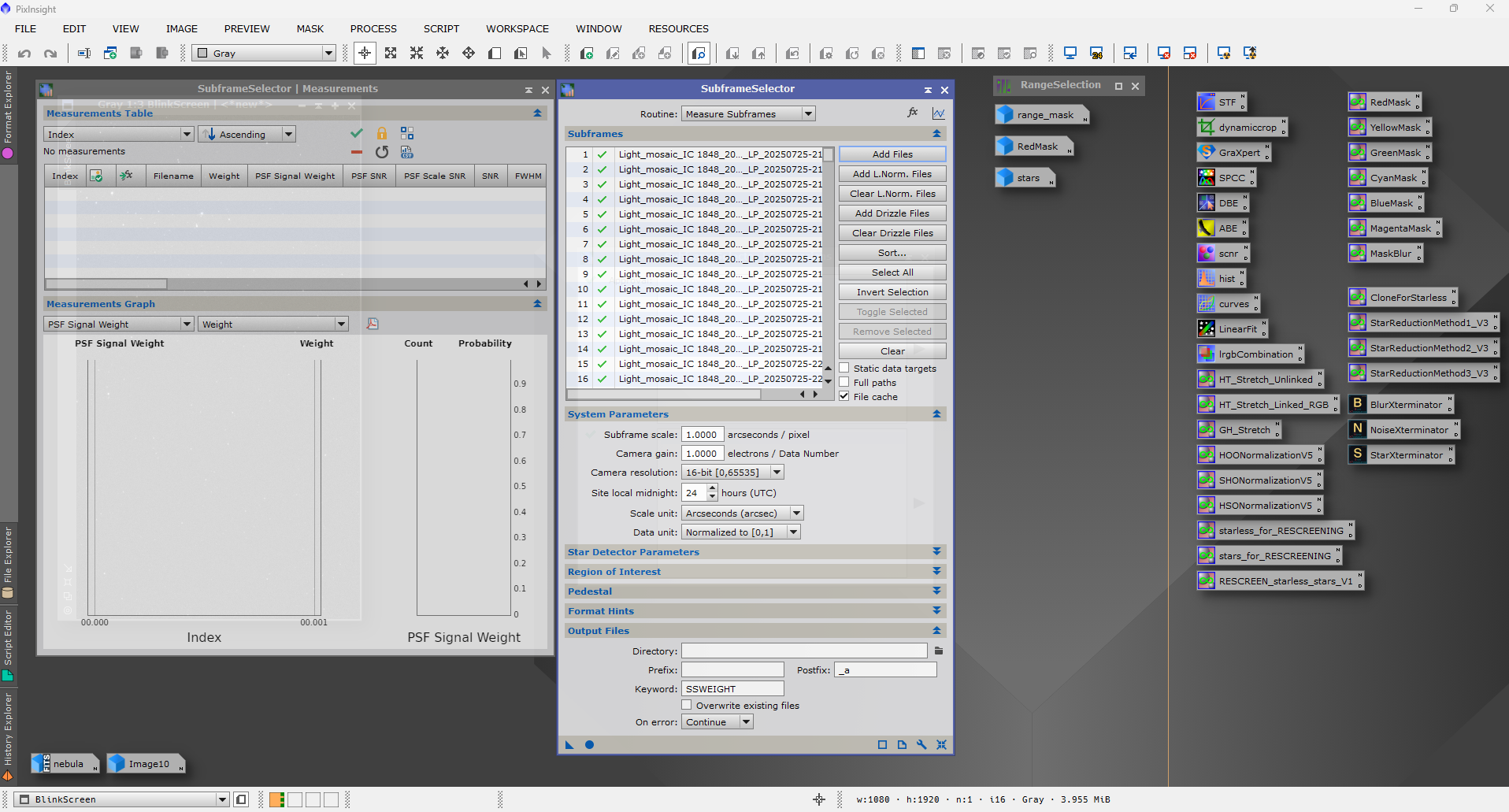
Subframe Selector provides quantitative analysis of astrophotography frames before stacking