









- Your cart is empty Browse Shop
Mastering Blink: Screening Subframes for Quality Stacking
Blink: Quality Control for Your Data
Remove weak subframes before they ruin your stack
Introduction
Even the best-calibrated data can be ruined by poor-quality subframes.
Focus shifts, guiding errors, thin cloud, or vibration can all creep into a session — and if not removed early, they will degrade your final image.
Blink is where you quickly review every subframe and keep only the best.
Why Blink Matters
Stacking improves signal and reduces noise — but only if the data is good.
Bad frames don’t just fail to help — they actively damage the result by introducing blur, artefacts, and inconsistent backgrounds.
A single poor subframe can reduce the quality of your entire stack.
What to Look For
- Star Sharpness: Stars should be tight and round — avoid soft or defocused frames
- Tracking Errors: Trails or elongation indicate guiding problems
- Frame Shifts: Sudden movement or rotation = reject
- Transparency Changes: Cloud or haze causes uneven brightness
- Satellite Trails: Minor ones are OK, strong ones should be removed
- Vibration Blur: Soft frames across the entire image
Using Blink in PixInsight
- Open Blink
- Load calibrated subs
- Step through frames or autoplay
- Reject poor frames
- Save approved list for stacking
Best Practices
- Be consistent: Apply the same standard to all frames
- Be selective: Fewer good frames beat many bad ones
- Allow minor flaws: Not everything needs rejecting
- Take notes: Spot recurring issues in your setup
How Many Can You Reject?
- Large dataset: Be aggressive
- Small dataset: Be more forgiving
- Golden rule: One bad frame can do more harm than good
Using Other Software
The principle is the same in all stacking tools:
- Astro Pixel Processor
- DeepSkyStacker
- Any stacking workflow
Always review your subs before stacking.
Going Further: Subframe Selector
After Blink, you can refine your dataset further using Subframe Selector.
This tool measures:
- FWHM (sharpness)
- Eccentricity (roundness)
- Signal-to-noise ratio
It can also weight your frames so the best ones contribute more to the final stack.
✅ Summary
- Blink is your first quality control stage
- Inspect every subframe carefully
- Remove frames with defects
- Good data = better SNR and sharpness
- Consistency is key
Next Step
With your best subframes selected, the next step is Subframe Selector — where you analyse and weight your frames for optimal stacking.
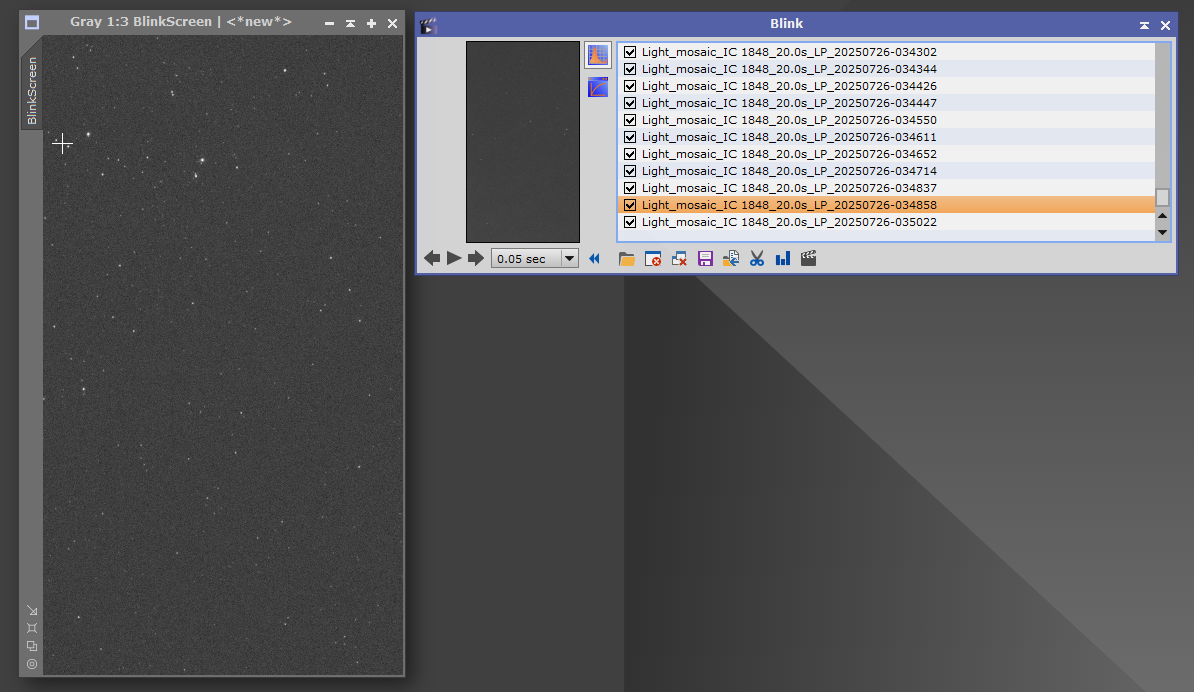
PixInsight Blink tool used to visually inspect and reject poor-quality subframes