









- Your cart is empty Browse Shop
Navigating the PixInsight Interface & Workflow Basics
Navigating PixInsight
Understanding the interface and workflow fundamentals
Introduction
When you first open PixInsight it can feel overwhelming. The interface is unlike traditional photo editors, with panels, icons and menus everywhere. It’s easy to see why many people compare it to a cockpit.
Once you understand the layout, it becomes clear that everything is designed to give you complete control over your data.
📸 Full PixInsight interface with labelled panels
Understanding the Workspace
PixInsight is built around a flexible workspace. You can open multiple images, previews and process windows at once, and arrange them however you like.
- Main Workspace: Displays your images and previews
- Process Console: Shows output and logs from every process
- Process Explorer: Access to all tools
- History Explorer: Step back through every action
📸 Console and History Explorer highlighted
Images, Processes and Non-Destructive Editing
PixInsight works differently from traditional editors. Processes are applied as independent actions and stored in the image history.
- Modular processes: Each tool runs independently
- Nothing is permanent: Until you save/export
- Reusable: Save processes as icons
Using Previews to Refine Your Workflow
Previews are cropped sections of your image where you can test settings before applying them globally.
- Create previews using the rectangle tool
- Test processes safely
- Apply results to full image once satisfied
📸 Preview selection example
Masks and Process Icons
Two key features unlock PixInsight’s flexibility:
- Masks: Protect or isolate areas of your image
- Process Icons: Save reusable settings for future workflows
📸 Mask + process icons example
A Basic Workflow Structure
Focus on understanding the overall flow:
- Load data
- Create previews
- Apply processes carefully
- Save process icons
- Use masks
Building Confidence
The interface becomes intuitive with practice. Use previews and the History Explorer to experiment safely.
Don’t be afraid to try new processes — everything can be undone.
Further Learning
PixInsight provides official tutorials that guide you from beginner to advanced workflows.
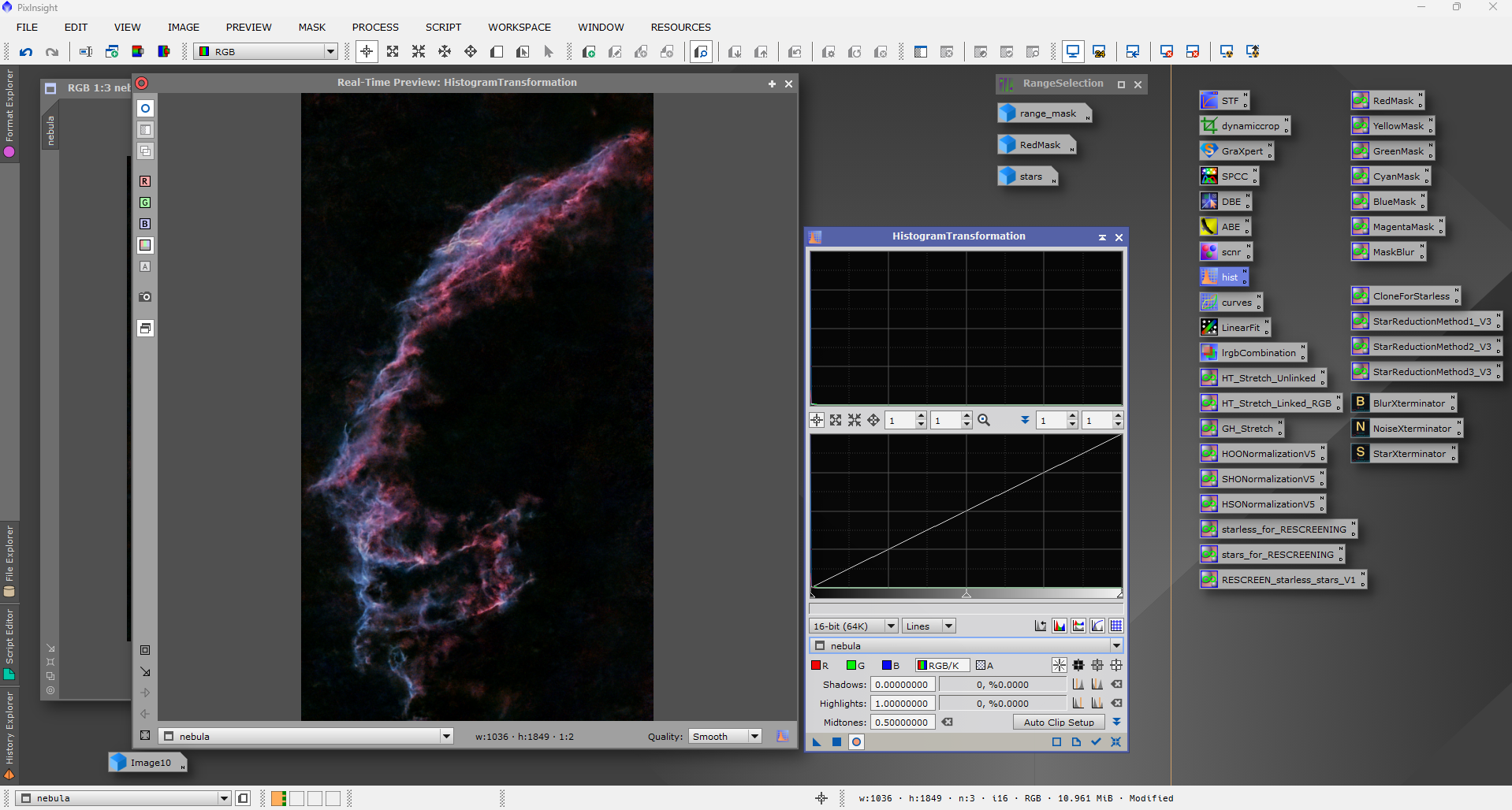
PixInsight interface layout showing workspace, tools and processing panels